Quick Start
July 05, 2020Getting Started 😎
1. Create a Gatsby site.
# create a new Gatsby site using the blog starter
$ npx gatsby new my-blog-starter https://github.com/JaeYeopHan/gatsby-starter-bee
If you are not using
npx, following Gatsby Getting Started
$ npm install -g gatsby-cli
$ gatsby new my-blog-starter https://github.com/JaeYeopHan/gatsby-starter-bee
2. Start developing.
$ cd my-blog-starter/
$ npm start
# open localhost:8000
3. Add your content
You can write...
- contents to blog in
content/blogdirectory. - resume
content/__aboutdirectory.
With markdown syntax and some meta data
Support script for creating new post
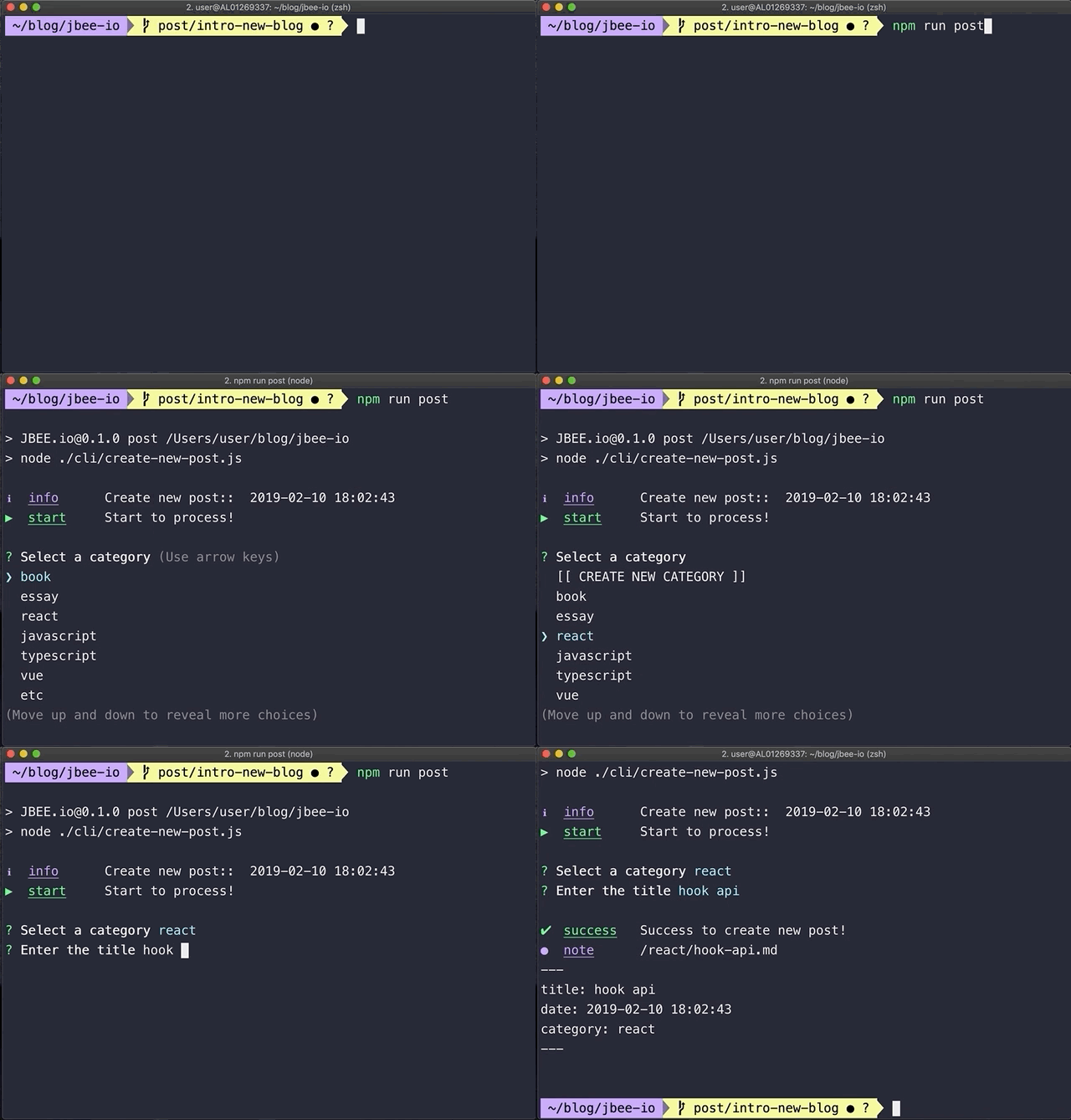
$ npm run post4. Fix meta data
You can fix meta data of blog in /gatsby-meta-config.js file.
5. Publish with netlify

💡 if you want to deploy github pages, add following script to package.json
"scripts": {
    "deploy": "gatsby build && gh-pages -d public -b master -r 'git@github.com:${your github id}/${github page name}.github.io.git'"
}
:memo: Write a post!
content
├── __about
└── blog- You can register your resume on the web. (in
__aboutdirectory) - You can register your post. (in
blogdirectory)
🧐 Customize!
Gatsby config
/root
├── gatsby-browser.js // font, polyfill, onClientRender ...
├── gatsby-config.js // Gatsby config
├── gatsby-meta-config.js // Template meta config
└── gatsby-node.js // Gatsby Node config
Structure
src
├── components // Just component with styling
├── layout // home, post layout
├── pages // routing except post: /(home), /about
├── styles
│   ├── code.scss
│   ├── dark-theme.scss
│   ├── light-theme.scss
│   └── variables.scss
└── templates
    ├── blog-post.js
    └── home.js
Style
You can customize color in src/styles directory.
src/styles
├── code.scss
├── dark-theme.scss
├── light-theme.scss
└── variables.scss
Welcome to gatsby-starter-bee! Happy blogging! 👻